
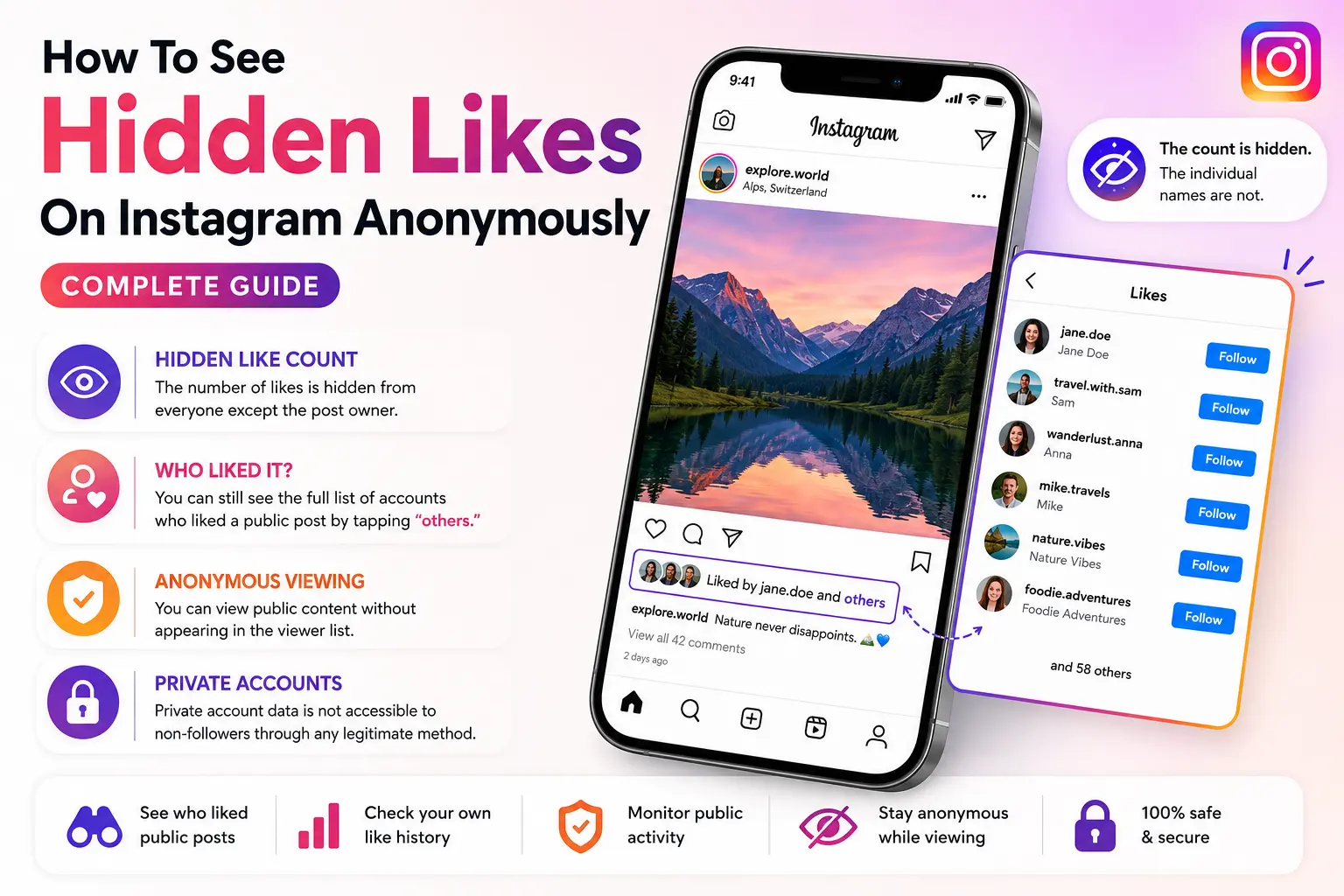
How To See Hidden Likes On Instagram Anonymously: Complete Guide
Instagram hid public like counts back in 2019, and the confusion has not stopped since. If you landed here, you probably want to know whose posts someone is liking, or why the count is missing from a post you’re looking at. This guide gives you honest, working answers for both.
What “Hidden Likes” Actually Means on Instagram
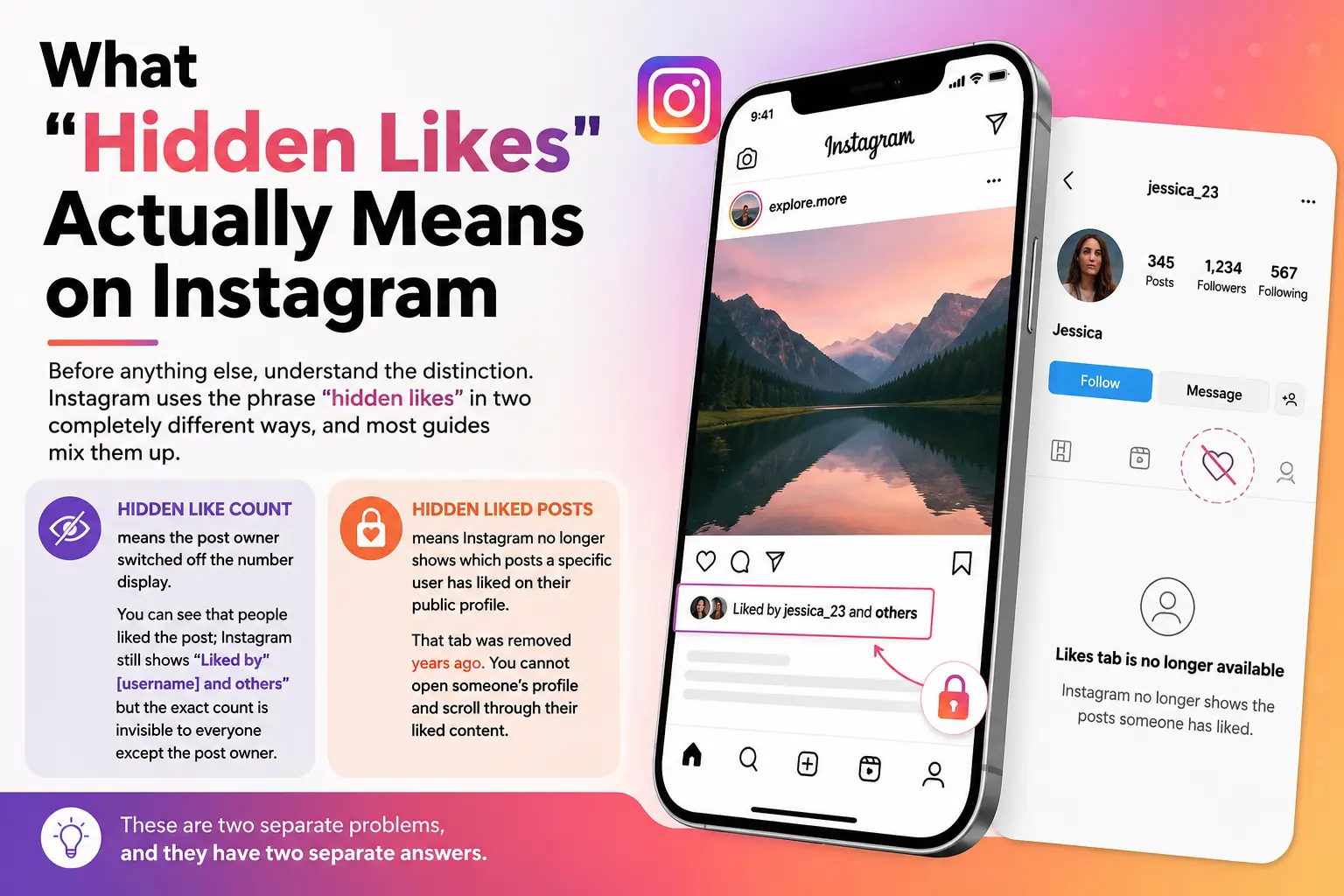
Before anything else, understand the distinction. Instagram uses the phrase “hidden likes” in two completely different ways, and most guides mix them up.
Hidden like count means the post owner switched off the number display. You can see that people liked the post; Instagram still shows “Liked by [username] and others,” but the exact count is invisible to everyone except the post owner.
Hidden liked posts means Instagram no longer shows which posts a specific user has liked on their public profile. That tab was removed years ago. You cannot open someone’s profile and scroll through their liked content.
These are two separate problems, and they have two separate answers.
Why Instagram Hides Like Counts
Instagram CEO Adam Mosseri explained the decision directly. The goal was to reduce social pressure on younger users, specifically to stop people from treating likes as a performance score. As NapoleonCat reported in their February 2026 analysis, the platform also aimed to reduce the incentive to purchase fake likes, since a hidden count makes the number matter less publicly.
The result: creators and brands can now choose to hide counts post by post or across their entire account. The likes still exist, and the owner can still see them. The number is simply not broadcast to everyone else.
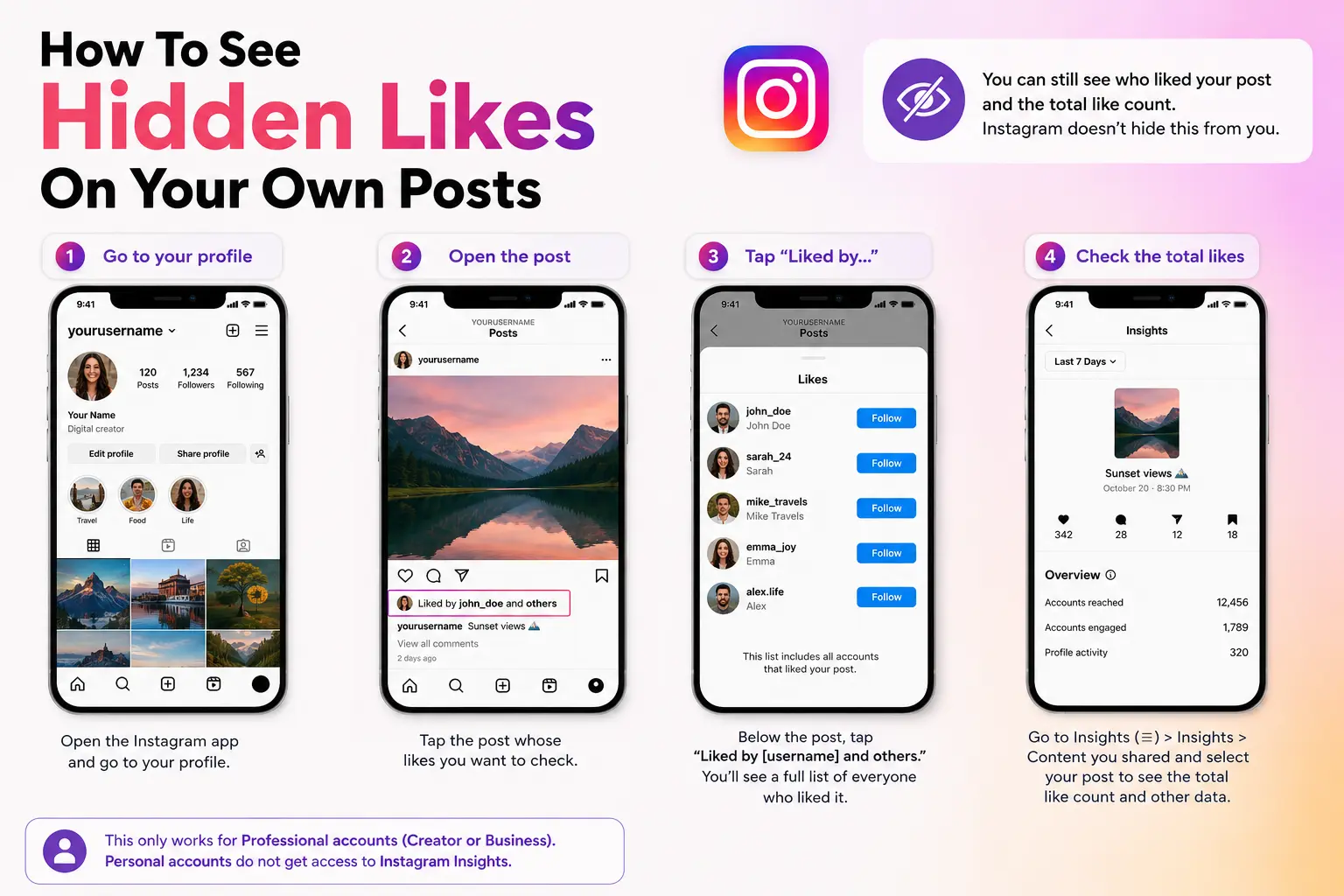
How To See Hidden Likes On Your Own Posts
If your own posts have hidden like counts, you still have full access to the data. Instagram does not hide engagement from the account owner.
Step 1: Open the Instagram app and go to your profile.
Step 2: Tap the post you want to check.
Step 3: Below the post, tap “Liked by [username] and others.” This opens a full, scrollable list of every account that liked the post even when the count is hidden from public view.
Step 4: For a numeric total, go to your Instagram Insights. Tap the three lines in the top right, select Insights, scroll to “Content you shared,” and select any post to see full engagement data including the like count.
This only works for Professional accounts (Creator or Business). Personal accounts do not get access to Instagram Insights.
How To See Your Own Like History
Instagram moved this feature in a recent update, which is why many users cannot find it. It still exists.
Step 1: Go to your profile and tap the three horizontal lines (top right).
Step 2: Tap “Your activity.”
Step 3: Select “Interactions,” then tap “Likes.”
You get a full history of every post and reel you have ever liked. You can filter by date, by content type, and sort from newest to oldest. This is a personal feature it shows only your own likes, not someone else’s.
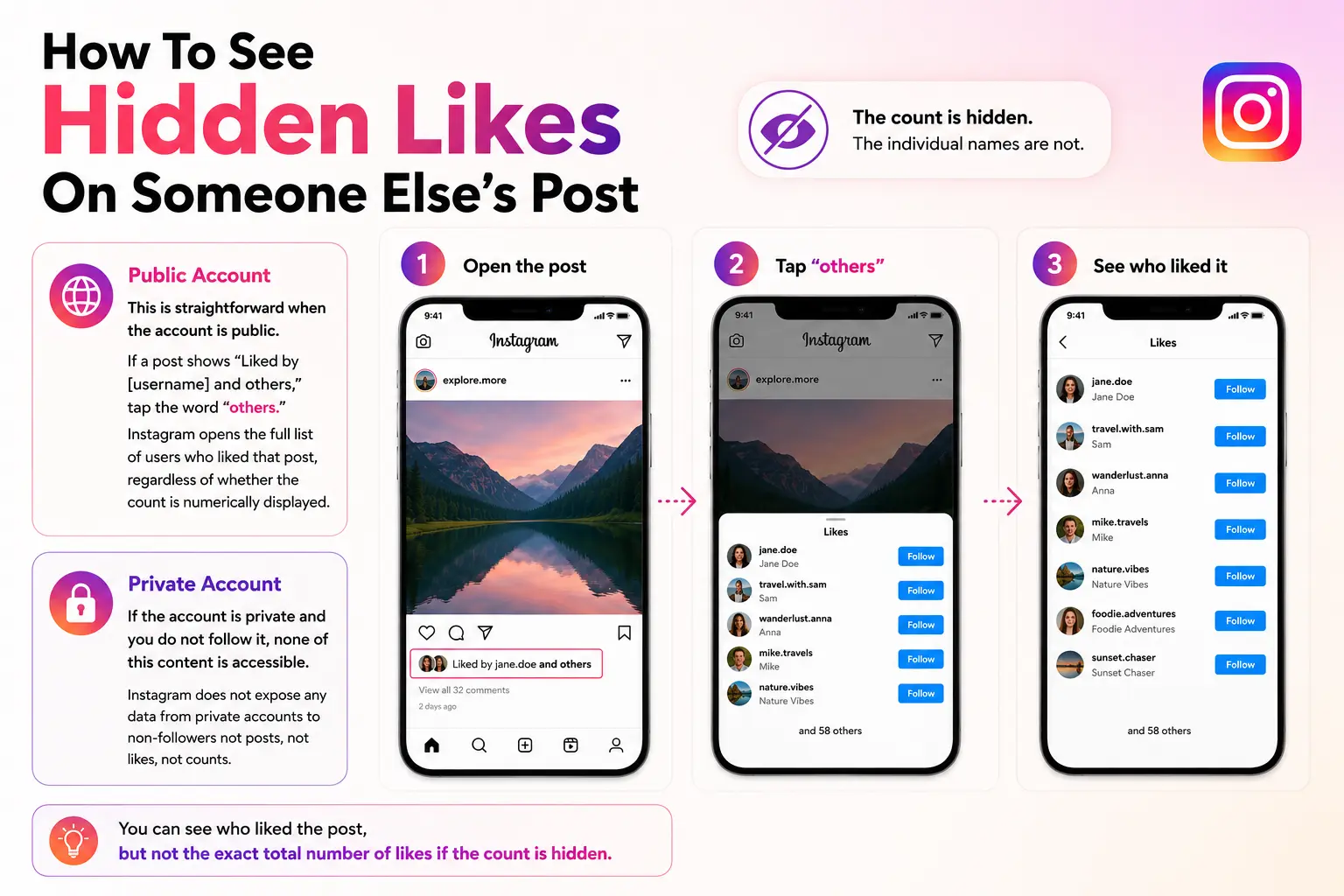
How To See Hidden Likes On Someone Else’s Post
This is straightforward when the account is public. If a post shows “Liked by [username] and others,” tap the word “others.” Instagram opens the full list of users who liked that post, regardless of whether the count is numerically displayed.
The count is hidden. The individual names are not.
If the account is private and you do not follow it, none of this content is accessible. Instagram does not expose any data from private accounts to non-followers not posts, not likes, not counts.
How To See Which Posts Someone Else Is Liking
This is the harder question, and the honest answer is: Instagram does not show you this information natively. The platform removed the public “liked posts” tab years ago and has not brought it back.
If a post that your contact liked appears in your feed, Instagram will show you that they liked it. But there is no way to go to their profile and browse everything they have liked in one place not through the app, not through a browser.
For this use case, a monitoring tool like Snoopreport operates differently from standard viewers. Rather than scraping Instagram in real time, it monitors public account activity over time and delivers weekly reports showing which posts a tracked account liked, which accounts they interact with most, new follows, and top hashtags from their liked content. This only works for public accounts. Private accounts are not trackable through any legitimate method.
Anonymous Viewing: What Is Realistic
If you want to view public Instagram content without appearing as a viewer, tools like HideViewer retrieve public content server-side. Because your personal Instagram account is not involved in the request, your name does not appear on the viewer list.
This applies only to public accounts. For public profiles, HideViewer can show profile data, bio, follower and following counts, and profile picture without requiring a login or leaving a trace.
For private accounts, the content is not served by Instagram at all it does not exist in any retrievable form for non-followers. Any tool claiming to show full posts, stories, or likes from private accounts is not telling the truth. This includes paid tools, browser extensions, and apps that ask for your Instagram password. Do not hand over your credentials to any third party.
What Works and What Does Not
| What You Want To Do | Works? | Method |
|---|---|---|
| See hidden like count on your own post | ✅ Yes | Instagram Insights (Professional account required) |
| See who liked your own post | ✅ Yes | Tap “others” under the post |
| See your own like history | ✅ Yes | Your Activity → Interactions → Likes |
| See who liked a public post anonymously | ✅ Yes | Tap “others” — no login needed |
| See which posts a public user is liking | ✅ Partial | Third-party monitoring tools (public accounts only) |
| View public profiles anonymously without logging in | ✅ Yes | Tools like HideViewer |
| See likes or posts from a private account | ❌ No | Not possible through any legitimate method |
| See DM send history for your posts | ❌ No | Instagram does not expose this data |
A Note On Third-Party Tools
Legitimate tools that work with public Instagram data operate transparently. They require only a username, never a password. They are clear about what they cannot access. They do not promise access to private accounts.
Red flags to avoid: any tool asking for your Instagram login, tools requiring you to complete surveys or download apps to “unlock” results, and services charging money to reveal private account content. These are either non-functional or actively harmful to your account security.
FAQs
Can I see hidden likes without a Professional account?
You can see who liked a post by tapping “others” on any public post regardless of account type. To see the numeric like count on your own hidden posts, you need a Professional account to access Insights.
Does unhiding likes change anything permanently?
No. You can hide and unhide the like count on any post at any time. Go to the post, tap the three dots, and select “Hide like count” or “Unhide like count.” The likes themselves are never deleted.
Will the account owner know if I view their public profile through a tool?
When a tool retrieves content server-side, the request comes from the tool’s infrastructure, not your personal account. The account owner does not see your name in any viewer list.
Why does Instagram hide the liked posts tab?
Instagram removed the public activity feed to protect user privacy. The platform decided that what you like is personal, similar to a private browsing history, and should not be visible to every follower by default.
Is it legal to monitor a public Instagram account’s likes?
Viewing publicly available information is generally legal in most jurisdictions. However, using that information to harass, stalk, or harm someone crosses both legal and ethical lines. Always use these tools responsibly and for legitimate purposes.
Final Thoughts
Hidden likes on Instagram are less hidden than the term suggests. You can always see who liked a post, even when the count is turned off. Your own like history is fully accessible through Your Activity. Public account monitoring is possible through legitimate tools for specific use cases like parenting, research, or audience analysis.
What is genuinely inaccessible is private account data. No tool changes this, because the content is not served at all to non-followers. The safest and most accurate approach is to work within what Instagram actually makes available and be skeptical of any service that promises more than that.


