How to Use Instagram Story Viewer with Comments in 2026
Instagram added public Story comments in 2026, and most users still confuse them with private Story replies. They are two completely different features with different visibility rules. This guide explains how Story comments work, who can see them, how creators control them, and how tools like HideViewer help you view public Story content and comments without logging in.
Story Comments vs Story Replies: The Difference Most People Miss
Instagram Stories have two separate ways for viewers to respond, and they work nothing alike.
A Story reply goes directly to the creator’s DM inbox. Only the creator sees it. No other viewer knows you replied, and nothing appears on the Story frame itself.
A Story comment is public. It appears on the Story frame and stays visible to every viewer who meets the permission requirements. This is the newer feature, and it changes how Stories function as a space for communication.
If you tap the chat icon on the bottom-left of a Story and your message posts visibly on the Story, that is a comment. If it disappears into the creator’s DMs, that is a reply.

Who Can Comment on an Instagram Story
Instagram sets different commenting rules depending on the account type.
On a private account:
Only mutual followers can comment. A mutual follower is someone the account follows back. If you follow them but they do not follow you back, you cannot leave a public comment on their Story.
On a public account:
Anyone the account owner follows can comment. The restriction is still one-directional: the commenter must be followed by the poster, but does not need to follow back.
Creators can also adjust this from their settings. The path is: Settings → Privacy → Stories → Reply settings. From here, they can allow comments from everyone, limit to people they follow, or turn comments off entirely for all Stories. They can also disable comments on individual Stories without changing the global setting.
What Happens to Story Comments After 24 Hours
Story comments disappear when the Story expires. Instagram does not store them, archive them, or give you any way to export or recover them after the 24-hour window closes.
One exception applies: if the creator saves the Story as a Highlight, the comments are preserved along with the Story content. They remain visible inside the Highlight to anyone who meets the original permission requirements.
Comments on Stories are also non-threaded. They appear in a flat scrollable list below the Story frame. There is no reply-to-comment function; you cannot respond to a specific comment the way you can in a feed post thread.

Can Creators Delete Individual Story Comments
Yes. The creator can remove a single comment without disabling the entire comment section. This gives creators moderation control without shutting down the conversation.
To remove a comment, the creator taps and holds the comment, then selects the remove option. The commenter is not notified. The comment disappears from the Story frame immediately.
This is a practical tool for accounts that run Q&A sessions or product discussions on Stories, where one unwanted comment should not require turning off the whole feature
Do Story Comments Show Up in Instagram Insights
Instagram has not confirmed that Story comments appear as a tracked metric in Insights. Story replies show up in some analytics views, but comment-specific data has not been officially documented as a separate Insights category.
What this means practically: creators cannot pull a number from their dashboard that says “X comments on this Story.” The engagement value is real comments signal active interaction to Instagram’s ranking system, but the specific metric is not currently surfaced in native analytics.
For creators tracking performance, saves and DM sends remain the documented signals with the clearest Insights data.

How Story Comments Affect the Instagram Algorithm
Instagram’s Stories algorithm ranks content based on relationship signals: how often someone views your Stories, replies to them, reacts with emojis, or sends them. Public Story comments add a new layer to this.
A comment on a Story signals stronger engagement than a passive view. Instagram’s ranking system in 2026 weights comment depth more heavily than surface-level reactions. A short emoji comment carries less algorithmic value than a full-text comment, which mirrors how feed post comments are evaluated.
For creators, this means Stories that prompt real text responses. Whether through questions, polls, or discussion prompts, build stronger relationship signals between the account and its followers. Those signals push the account’s content higher in that follower’s Stories tray over time.
The Brand Risk Side of Story Comments
Public Story comments introduce moderation responsibility that did not exist before. For personal accounts with a small, trusted following, this is rarely a problem. For brands, creators with large audiences, or businesses running promotional Stories, the comment section can attract negative feedback, off-topic content, or competitor mentions.
Instagram’s mutual follow requirement reduces this risk significantly on private accounts. On public accounts with large followings, the creator is responsible for monitoring and moderating comments manually or turning the feature off for specific Stories where moderation is not practical.
Disabling comments on individual Stories rather than globally is the most flexible approach for accounts that want the feature for some content but not all.
How to View Story Comments on Public Accounts
When you view a Story inside the Instagram app while logged in, you see comments if you meet the permission requirements. But there is a separate question that often comes up: can you view Story comments on public accounts without logging in?
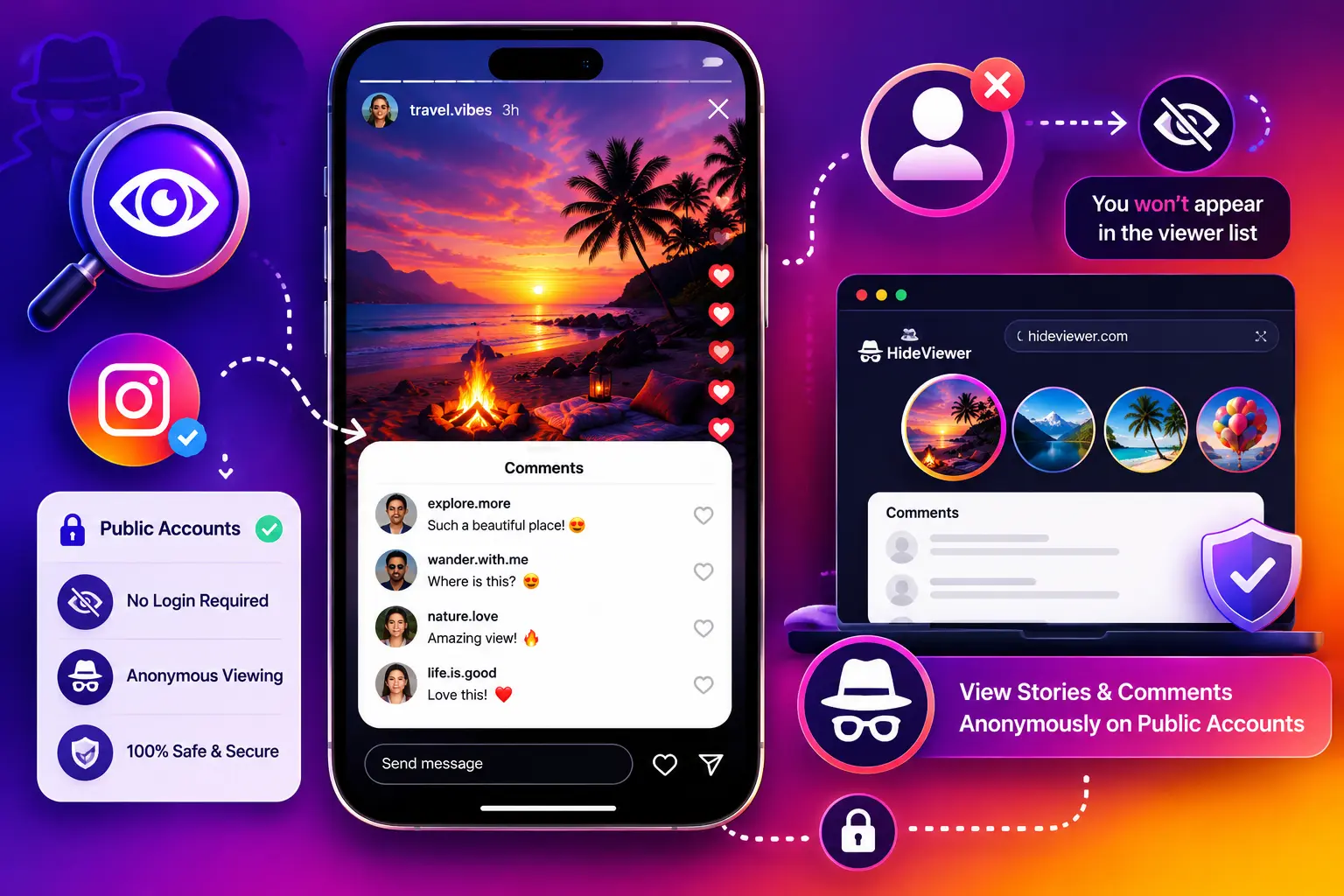
Tools like Our Instagram viewer let you browse public Instagram content anonymously, including Stories and their associated public data without your username appearing in the viewer list. This is useful for competitive research, content monitoring, or simply checking a public account’s Stories without leaving a trace.
HideViewer accesses only publicly available content and does not require your Instagram credentials. It works within Instagram’s public data boundaries, meaning it cannot access content from private accounts or content the account owner has restricted. For public accounts, it gives you a clean way to view Stories without the account owner seeing your name in their viewer list.
Settings Checklist for Creators
Before using Story comments, adjust these settings to match your audience and moderation capacity:
Enable or restrict commenting: Settings → Privacy → Stories → Reply settings. Choose between everyone, people you follow, or off.
Monitor after posting: Check the comment section within the first few hours on high-traffic Stories. Remove any comments that violate your community standards.
Use individual Story controls: For sensitive or personal Stories, disable comments on that specific Story rather than turning off the feature globally.
Track engagement through DMs: Since comment metrics are not yet surfaced in Insights, use DM volume and reply rates as your primary engagement benchmarks.
Frequently Asked Questions
Can someone see my Story comment if they do not follow the poster?
No. Comments are only visible to people who can see the Story. If someone does not follow the poster and the account is private, they cannot see the Story or any of its comments.
Can I comment on a Story anonymously?
No. Story comments are tied to your account and visible to all eligible viewers. There is no anonymous commenting option inside Instagram. If you want to view a Story without leaving any trace, use a tool like HideViewer that accesses public content without logging in.
Do Story comments count the same as post comments for the algorithm?
Instagram has not published a direct comparison. Story comments signal active engagement, but their specific algorithmic weight relative to feed post comments is not documented.
What happens to a comment if the Story is deleted before 24 hours?
The comment disappears with the Story immediately. There is no recovery option for either the Story or its comments once deleted.
Can I see who viewed my Story comments?
No. Instagram shows you who viewed the Story in the viewer list, but does not break down which viewers read specific comments.