

How to Deactivate Your Instagram Account (2026 Guide)
Deactivating your Instagram account hides your profile, posts, stories, and followers list until you log back in. Nothing gets deleted. This guide covers the exact steps for mobile and desktop in 2026, what changes while your account is hidden, and several things that catch people off guard, including what happens to your DMs, scheduled posts, and group chats.
Deactivate vs Delete: Know the Difference First
| Header lable | Deactivate | Delete |
|---|---|---|
| Profile visible | No | No |
| Data saved | Yes | No, removed after 30 days |
| Reactivate anytime | Yes | Only within 30-day window |
| Followers preserved | Yes | No |
| Username held | Yes | Released after 30 days |
| Frequency limit | Once every 7 days | No limit |
Deactivation is a pause. Deletion is permanent. If you are unsure, deactivate first; you can always delete later, but you cannot undo a deletion after the 30-day grace period closes.
How to Deactivate Your Instagram Account on Mobile (iPhone and Android)
Instagram handles deactivation through Meta’s Accounts Center on the mobile app in 2026. Follow these steps:
- Open Instagram and tap your profile photo in the bottom-right corner
- Tap the three horizontal lines (☰) in the top-right corner
- Tap Settings and activity
- Scroll up and tap Accounts Center
- Tap Personal details
- Tap Account ownership and control
- Tap Deactivation or deletion
- Select your Instagram account
- Choose Deactivate account
- Select a reason from the list
- Enter your password and tap Deactivate account to confirm
Your profile disappears immediately. Log back in at any time to restore everything.

How to Deactivate Instagram on Desktop (PC and Mac)
- Go to instagram.com and log in
- Click More (three lines) in the bottom-left sidebar
- Click Settings
- Click Accounts Center at the top
- Go to Personal details → Account ownership and control
- Click Deactivation or deletion
- Select your account and choose Deactivate account
- Enter your password and confirm
What Actually Happens When You Deactivate
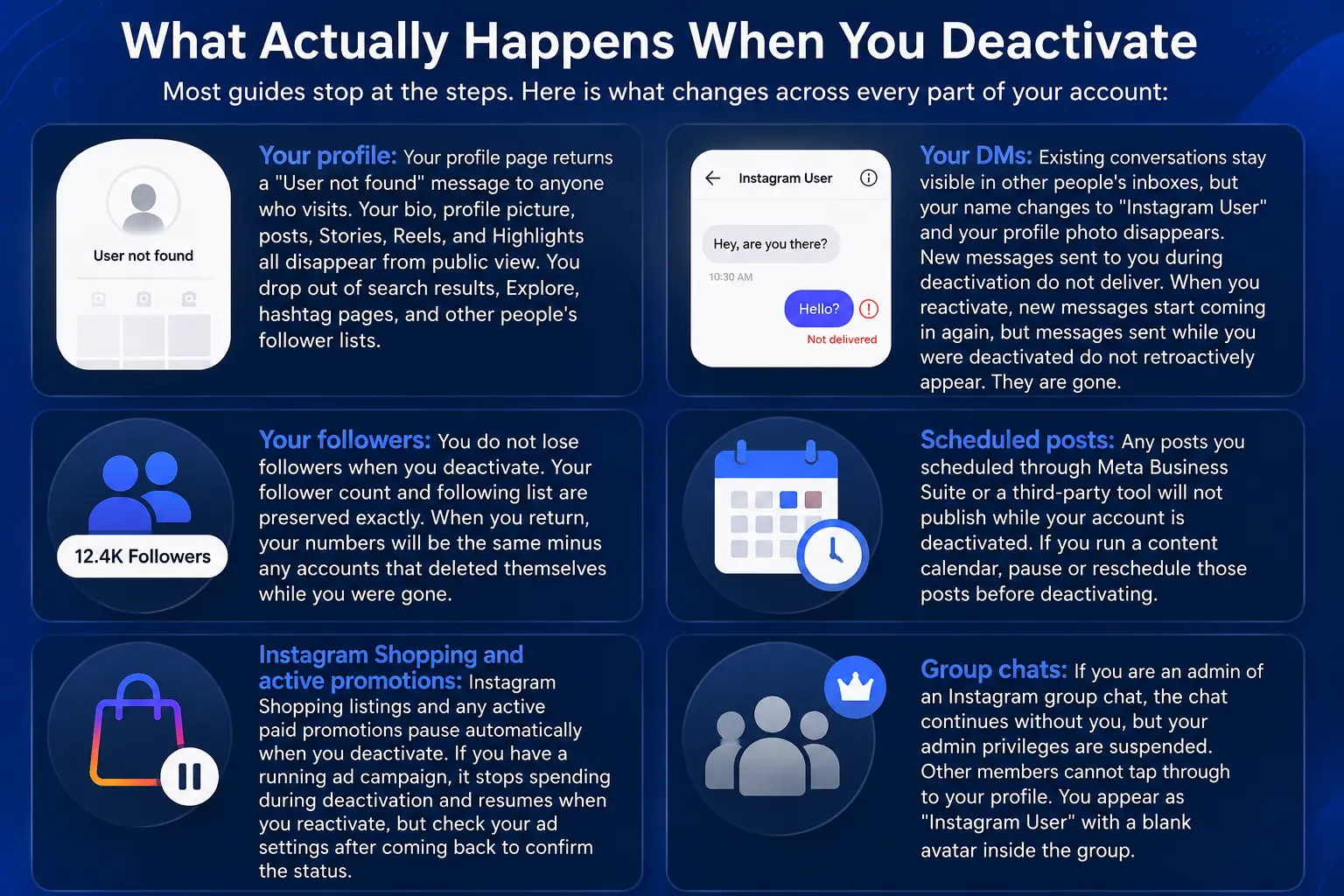
Most guides stop at the steps. Here is what changes across every part of your account:
Your profile: Your profile page returns a “User not found” message to anyone who visits. Your bio, profile picture, posts, Stories, Reels, and Highlights all disappear from public view. You drop out of search results, Explore, hashtag pages, and other people’s follower lists.
Your DMs: Existing conversations stay visible in other people’s inboxes, but your name changes to “Instagram User” and your profile photo disappears. New messages sent to you during deactivation do not deliver. When you reactivate, new messages start coming in again, but messages sent while you were deactivated do not retroactively appear. They are gone.
Your followers: You do not lose followers when you deactivate. Your follower count and following list are preserved exactly. When you return, your numbers will be the same minus any accounts that deleted themselves while you were gone.
Scheduled posts: Any posts you scheduled through Meta Business Suite or a third-party tool will not publish while your account is deactivated. If you run a content calendar, pause or reschedule those posts before deactivating.
Instagram Shopping and active promotions: Instagram Shopping listings and any active paid promotions pause automatically when you deactivate. If you have a running ad campaign, it stops spending during deactivation and resumes when you reactivate, but check your ad settings after coming back to confirm the status.
Group chats: If you are an admin of an Instagram group chat, the chat continues without you, but your admin privileges are suspended. Other members cannot tap through to your profile. You appear as “Instagram User” with a blank avatar inside the group.
The Facebook Comparison Most People Miss
Facebook lets you deactivate your profile but keep Messenger active. Instagram does not work this way. When you deactivate Instagram, your DM access goes with it. You cannot send or receive messages through the app or the website while deactivated. This is a meaningful difference if you use Instagram DMs for business or personal communication.
How You Appear to Others After Deactivating
From the outside, a deactivated account looks identical to a deleted account and to an account that has blocked the viewer. All three return “User not found.” People who follow you will see you disappear from their following list. People checking their own followers list can find you listed under a “Deactivated Accounts” tab if they look specifically, so deactivation is not completely invisible to people who are paying attention.
Deactivation Rules and Limits in 2026
Instagram sets a hard limit of once per week. If you deactivate today and reactivate tomorrow, you cannot deactivate again for seven full days. Repeated attempts within the week may trigger login errors or temporary restrictions. Instagram does not set a maximum duration for how long you can stay deactivated; your account can remain hidden for months without being automatically deleted, as long as you do not trigger the 30-day deletion window by choosing delete instead of deactivate.
Business and Creator Accounts: One Extra Step Required
Instagram Business accounts and Creator accounts cannot be deactivated directly. Instagram does not allow professional accounts to use the deactivation feature. To deactivate, you must first switch back to a Personal account:
Settings → Account → Switch account type → Switch to Personal account
Then follow the standard deactivation steps above. Keep in mind that switching to Personal removes access to Instagram Insights, the professional dashboard, the contact button, and shopping features. If you manage an active business presence, weigh this trade-off before switching.
Not Ready to Fully Disappear? Three Built-In Alternatives
Full deactivation is not the only option. Instagram has three built-in tools that reduce usage without hiding your account:
Quiet Mode silences all notifications and sends an auto-reply to anyone who DMs you during your set quiet hours. Find it under Settings → Notifications → Quiet Mode.
Daily Time Reminder sends an alert after you have spent a set amount of time in the app that day. Set it under Settings → Time spent on Instagram.
Take a Break prompts you to close the app after 10, 20, or 30 minutes of continuous scrolling, your choice. Also found under Settings → Time spent on Instagram.
These tools work well if the goal is reducing screen time rather than fully stepping away.
How to Reactivate Your Instagram Account
Open the Instagram app or go to instagram.com and log in with your original username and password. Your account restores immediately, no waiting period, no approval process. Every post, follower, saved item, story archive, and setting returns exactly as you left it.
Before You Deactivate: Quick Checklist
- Download your Instagram data if you want a backup (Accounts Center → Your information and permissions → Download your information)
- Pause or reschedule any scheduled posts
- Disconnect or check any third-party apps connected to your Instagram login,m some tools break when the account goes inactive
- Inform anyone who contacts you regularly via Instagram DM, since new messages will not reach you
- If you run Instagram Shopping or active ads, check your campaign status
Frequently Asked Questions
Does Instagram notify my followers when I deactivate?
No. Instagram does not send any notification. Your profile simply disappears. Followers will notice only if they look for your account and find it gone.
Can I deactivate one Instagram account without affecting others?
Yes. During the process, Instagram asks you to select the specific account. Other accounts connected through Accounts Center are not affected.
Will my tagged photos on other people’s posts disappear?
The tag remains in the post, but tapping your username goes nowhere while you are deactivated. The tag is not removed from the other person’s content.
Does deactivating Instagram affect my Facebook account?
No. They are separate actions. Deactivating Instagram hides only your Instagram profile. Your Facebook account, Messenger access, and WhatsApp are not affected.
Can I deactivate Instagram if I forgot my password?
You need to log in first. Use the Forgot Password option on the login screen to reset via email or phone number, then proceed with deactivation normally.
What happens to Collab posts I’m part of when I deactivate?
Collab posts you co-authored remain on the other creator’s profile, but your side of the collaboration goes inactive. Co-host invites and Close Friends list access also stop working while you are deactivated.


